Design proposals for sign-off · WCAG 2.2 AA remediation · October 2026
Fixing the audit without changing the magazine
GAIN's audit found 33 issues. Most fixes are invisible to sighted mouse and touch visitors. This page shows the handful that do change the look, with live, working options for each. Try them with a mouse, then try them with the Tab key.
How much will visitors notice?
Three kinds of fix
Code that only screen readers and keyboards notice: labels, states, headings, announcements and bigger tap areas.
Focus rings appear for keyboard users. Mouse and touch visitors never see them, because modern browsers only show :focus-visible for keyboard navigation.
Search label, active filter, carousel dots, card titles, background video, a quiz Next button and specific contrast fixes. These need design sign-off. The eighth is a OneTrust heading style, which is the client's to change.
Counts are of the 33 audit findings, grouped by their most visible fix. Four findings sit in third-party code (the ads and the client's OneTrust cookie banner); they are counted here but raised with their owners rather than designed.
Focus indicator
- The problem
- Some visitors move around the page with the keyboard (pressing Tab) instead of a mouse. Today there's often no visible marker showing where they are.
- Who it helps
- People who can't use a mouse: motor impairments, many blind and low-vision users, and keyboard power users.
- What we propose
- A clear outline around whatever is selected. It only appears when someone uses the keyboard, so mouse and touch visitors never see it.
The site currently switches link outlines off (outline: none), so keyboard users can't see where they are. The fix only appears when someone navigates with a keyboard. Clicking with a mouse or tapping on a phone shows nothing new.
A visible label for search
- The problem
- The search box's only hint ("SEARCH HIGH LIFE") vanishes as soon as you start typing, so it's easy to lose track of what the box is for.
- Who it helps
- People with memory or attention difficulties, and screen-magnifier users who only see part of the screen.
- What we propose
- A small, permanent "Search High Life" label above the box.
"SEARCH HIGH LIFE" is placeholder text, so it disappears as soon as someone types. The site already labels its filters with a quiet "Filter articles by:", and option A borrows that pattern.
Showing which filter is active
- The problem
- The selected filter is shown only by colour, and hovering over another filter uses almost the same colour, so two can look selected.
- Who it helps
- Colour-blind visitors (about 1 in 12 men) and people with low vision.
- What we propose
- A small tick on the selected filter, so it doesn't rely on colour alone.
The active filter is a blue fill, and so is the hover state, in a slightly different blue. With the pointer on another filter, two look selected. Turn on "Hover another filter" and "Greyscale" to see what a colour-blind visitor sees.
Carousel dots
- The problem
- The carousel dots are too pale to see clearly and too small to tap accurately.
- Who it helps
- Low-vision visitors, people with shaky hands, and anyone on a phone.
- What we propose
- The same-sized dots with darker outlines, plus a larger invisible tap zone around each one. It looks almost identical to today.
The dots are 12×12px targets, and the inactive grey is too light to see (2.1:1 against white, where 3:1 is needed). We can enlarge the tap area to 24px invisibly: the dot stays the same size and only the clickable space around it grows. Turn on "Show clickable area" to see it.
The Noble Hustle recounts Colson Whitehead's journey through the world of high-stakes poker
Card titles that look like links
- The problem
- Article titles in cards don't look like links until you hover over them.
- Who it helps
- People with low vision or cognitive difficulties, who rely on visual cues to spot what's clickable.
- What we propose
- Optional. A subtle underline. The standard doesn't require it, so keeping today's look is a valid choice.
This one is negotiable. GAIN recommends it, but it isn't a WCAG failure, because these titles aren't links inside a paragraph of text. Option A is barely noticeable; "Today" remains a defensible choice. Separately, grids made up entirely of one category (like the home page Hotels grid) will stop repeating that label ("HOTELS") on every tile, since the grid's heading already says it (#24). Mixed grids keep their labels.
A pause button on moving video
- The problem
- Some background videos loop forever with no way to stop them. Constant movement makes it hard to read and concentrate, and can make some people feel unwell.
- Who it helps
- People with attention difficulties or motion sensitivity, and screen-reader users.
- What we propose
- Either a small pause button on the video, or short clips that play once and then stop.
The silent background videos (Vimeo-hosted clips that play muted on a loop) never stop, and moving content that lasts more than five seconds needs a way to stop it. Visitors who've set "reduce motion" on their device already get a still frame. There are two ways to fix it for everyone else. The Vimeo player embeds already have their own controls and aren't affected.
A "Next" button in quizzes
- The problem
- For keyboard users, the quiz moves on before they've finished choosing: just browsing the answers counts as answering. This is one of the audit's three most serious issues.
- Who it helps
- Keyboard and screen-reader users.
- What we propose
- Mouse and touch users see no change. Keyboard users get a "Next" button to confirm their answer.
Today some quizzes jump to the next question the moment an answer is chosen. Keyboard users move between answers with the arrow keys, and each arrow press counts as an answer. The proposal keeps auto-advance for mouse and touch, so most visitors see no change. When an answer is chosen with the keyboard, a Next button appears instead. The page can tell how each answer was chosen, though not who is choosing. Try the arrow keys below: nothing advances until you press Next.
Colour: the brand palette mostly passes already
- The problem
- A handful of items are too faint to read or see against their background.
- Who it helps
- People with low vision or colour blindness, and anyone reading on a phone in bright light.
- What we propose
- Swap a few too-light greys and blues for darker shades already in the brand palette. No new colours are needed.
Navy, corporate blue, rollover blue, red and dark grey all pass for text on white. The failures come from three tokens being used where they're too light: mid grey #b4b4b4, gold #bcaf8c and the #999 border grey. The fix is to use them only for decoration, never for text, icons or controls, so no brand colour has to change. Below are the failing spots as they render on the live site today. A scan of the key pages found only one failing text style at rest; the rest are states and controls.
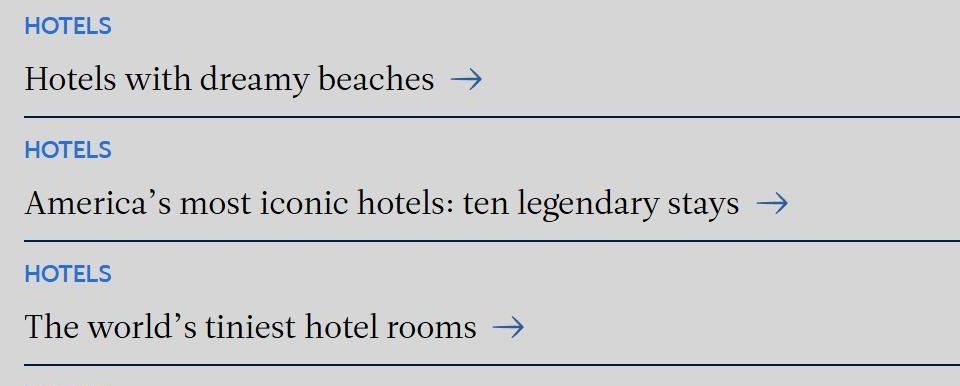
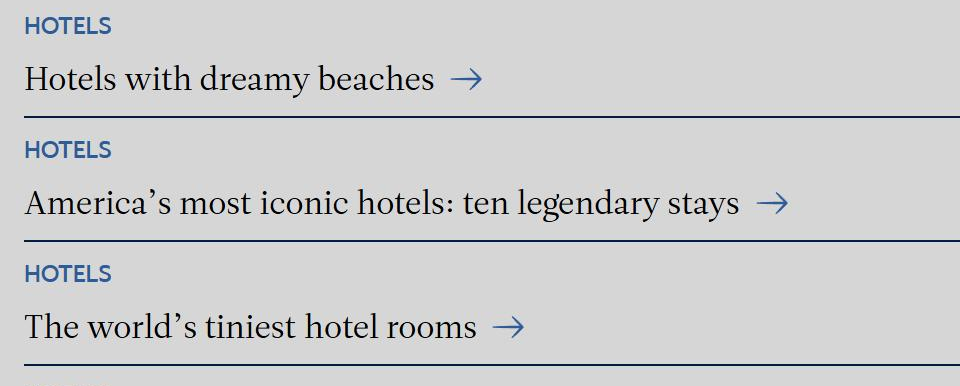
"HOTELS" category labels, home page
Today: rollover blue #2671d3, 11px text, on light grey #d6d6d6: 3.3:1. Text this size needs 4.5:1.
Recommended: corporate blue #2e5c99, already in the palette: 4.7:1. Only labels on grey panels change; on white the current blue already passes (4.8:1).
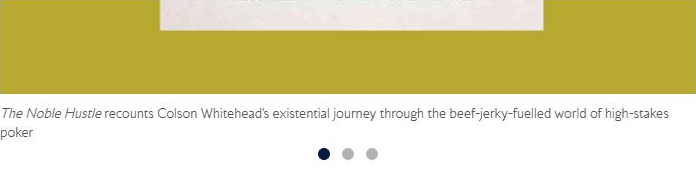
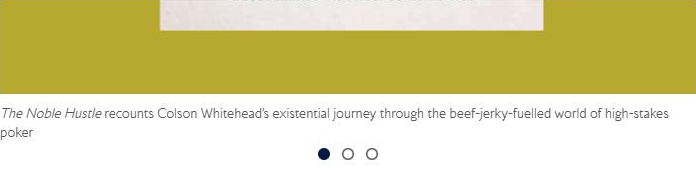
Carousel dots, Las Vegas guide
Today: inactive dots are mid grey #b4b4b4 on white, 2.1:1 (controls need 3:1), and each is a 12×12px target (half the 24px minimum).
Recommended: the same dots in the same positions, with inactive ones as dark grey #585858 rings: 7.1:1. Each now sits in an invisible 24×24px tap area (option 04-A).


Keyboard focus, Inside the Club
Today: a 2px BA-red #ce210f outline on navy #021b41: 3.1:1, only just over the line and easy to miss. Menu and footer links show no ring at all.
Recommended: option B (navy ring with white halo). On navy the white halo does the work: 17:1. On white pages the navy ring does the same job, so one rule covers every background.
Quiz "Next" button (reproduced from the live CSS)
Left button in each pair: normal state. Right button: hover state.
Today: hover turns the button mid grey #b4b4b4 under white text: 2.1:1 (needs 4.5:1).
Recommended: hover to navy #021b41: 17:1. It's a one-line change in the quiz's High Life skin. This one is a reproduction because the audited quiz runs in auto mode and never shows the button.
Everything else changes nothing you can see
- The problem
- Much of the behind-the-scenes code doesn't describe the page properly to screen readers (headings, menu states, button names, image descriptions).
- Who it helps
- Blind and partially sighted visitors using screen readers.
- What we propose
- Fix the code. Nothing changes visually, so no sign-off is needed.
No design sign-off needed. Listed so nobody is surprised.
Decisions we need
One decision per visible change. The recommendation is what we'll build unless told otherwise.
| Change | Required? | Recommendation | Alternatives |
|---|---|---|---|
| Focus indicator | Yes, WCAG AA | B · Navy with white halo, keyboard only | A, C |
| Search label | Yes, WCAG A | A · Small uppercase label above the field | B |
| Active filter | Yes, WCAG A | A · Tick on the active filter | B, C |
| Carousel dots | Yes, WCAG AA | A · Same size, outlined inactive dots, bigger invisible tap area | B |
| Background video | Yes, WCAG A | A · Small navy pause button, bottom right | B · Short clips play once (only for clips under 5 seconds) |
| Quiz Next button | Yes, WCAG A (Severe) | Auto-advance for mouse and touch; Next button for keyboard | Manual mode (Next button) for everyone |
| Specific contrast fixes | Yes, WCAG AA | Swap the failing light greys for dark grey on text and controls | Per element |
| Card title underline | No, best practice | A · Hairline underline | Keep as today |